|
Find/Merge Duplicate Records
|
  |
|
Find/Merge Duplicate Records
|
|
This function is only available to Administrators. It will identify similar records and allows the merging of the data in two or more records, including reallocation of bookmarks, tagging and relationships. It is accessed through the dupes action on the search page (hidden for non-administrators) as well as a link on the delete-records page (accessed through the delete action on the search page).
From the duplicates discovery page, click on Fix :

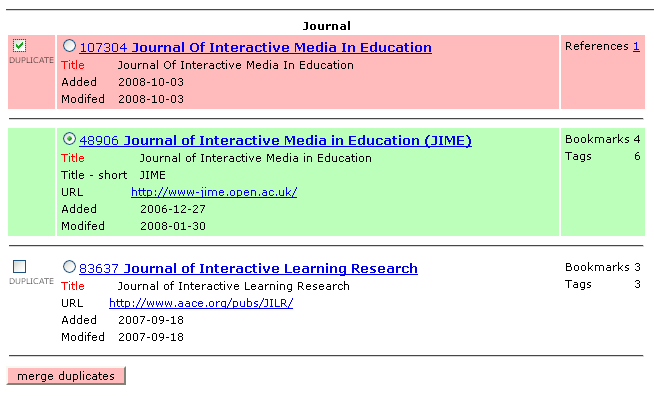
This displays the possible duplicates for the choice of one Master record and one or more Duplicate records to be combined with it:
Merging Data from Duplicates
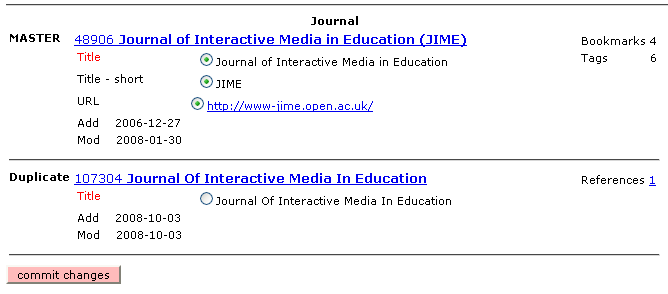
The next step allows the choice of additional or alternative data from the duplicate records being merged before the changes are finally committed:
Final Result of Merging Records
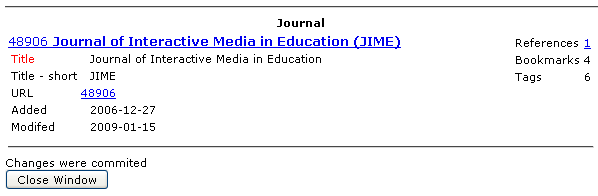
Finally, the results of the merge are displayed. As one can see in this example, references, bookmarks and tags as well as normal field data, have been combined into the new merged record.