|
Bookmarks
|
  |
|
Bookmarks
|
|
Heurist is a collaborative system in which records are (in most cases) shared between all users. But any given user will only be interested in a small subset of records, and will want to record personal information about each record.
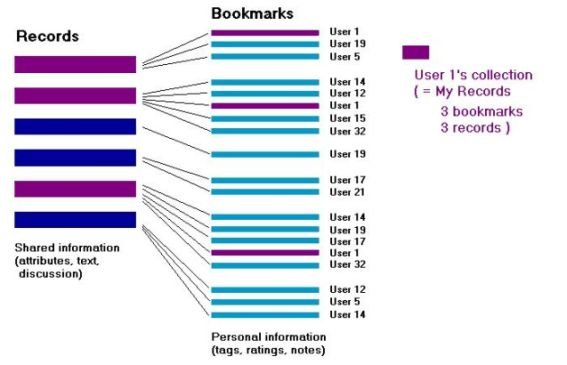
Bookmarks allow users to flag the records that interest them and to add personal information to each record, such as tags, ratings, notes, password reminders and triggers to send notification emails.
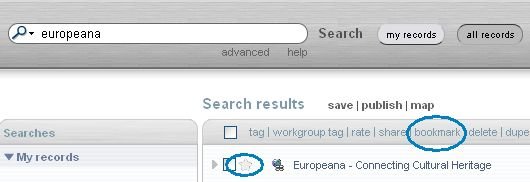
To bookmark a record, either click on the greyed out star or check the box left of the record and click bookmark
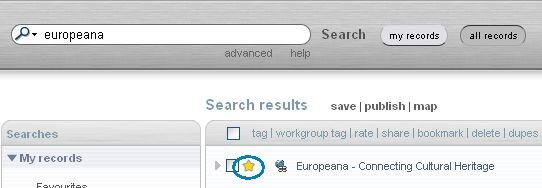
After bookmarking, the record will show with a yellow starwhen in All records search mode.
Deleting Bookmarks
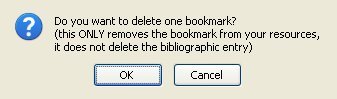
You can delete the bookmark to, say, a journal, from My References without deleting it from the database - deleting it will not alter any journal article references which refer to it. However alterations to the bibliographic information in the Public Information section of the record WILL be carried through to any resources which reference it.
Personal bookmarks in Heurist have the following functions and capacities: