|
Manage Tags
|
  |
|
Manage Tags
|
|
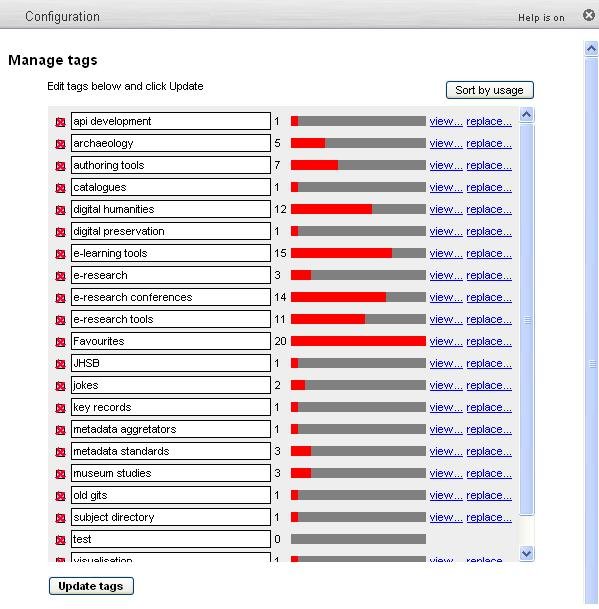
Tags are personalised terms created by a Heurist user and can be added when creating or editing a record. Each time a tag is added to a record a tally is kept of the number of times it is used.
|
|
Tags are listed in alphabetical order and can be managed (viewed and replaced) and updated according to the user's needs. Tags can be sorted by usage to ascertain how often a tag has been used.
To edit tags:
To reorganise tags:
To review tags (by usage):
|