Notifications
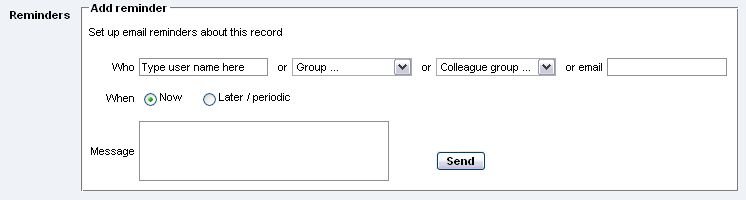
To send a reminder (notification):
Select a Heurist record
Click Edit
Click
Personal Information
on left-hand panel
Select your own name, the name of a Workgroup, a Colleague Group, or external email address to notify
Select Now or Later / Periodic to define When the message is sent, on what date and how regularly
Add a message (if required)
Click Store