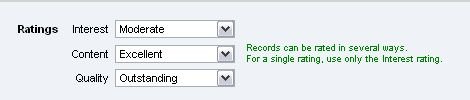
Ratings
Previous Topic  Next Topic 


To set a rating:


  1. Select a Heurist record
  2. Click Edit (record opens in new window)
  3. Click Show all fields hyperlink
  4. Click Personal Information on left-hand panel
  5. Select ratings* from drop-down menus (Interest - Content - Quality)
  6. Click Save


*Ratings: Outstanding, Very interesting/Excellent, Interesting, Moderate (default), Low