|
Pointer Fields
|
  |
|
Pointer Fields
|
|
Pointer Fields are the basic building blocks of relationships, but they are also a powerful generic function of Heurist. Heurist records can have embedded in them pointers to other records. Pointers are not formally expressed relationships (as are the relationship records with a relationship type). Pointers are a means of ensuring that links to other records (with relevant information contained in the record) are created. For example, the Journal Article record has a pointer to the Journal and Volume record. This enables the article data (article title, author, etc) to be linked to the journal data (journal title, volume, number, etc). Imagine a record about a chapter in an edited book. It has one or more authors and it belongs to a book. But it may share the author(s) with many other books, book chapters, articles and so forth, and the book with a dozen or so other chapters, each with different authors.
Rather than entering the author(s) as text fields and all the information about the book (its title, editors, year, publisher, place, and perhaps series, series title, volume number, series editors, etc.) as text fields, and repeating this information for every chapter in the book, Heurist allows you to create records for each of these entities and link them into the record for the chapter. So you can create author records (which can also be used for editors), book records, series records, publisher records and so forth, and simply point to these records instead of reentering the data. This saves typing, saves mistakes, and ensures a connection between records which share the same author, book, publisher etc.
|
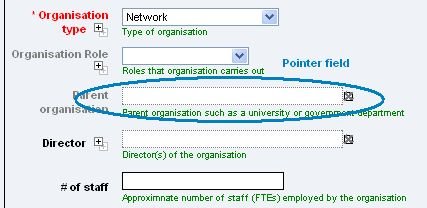
When editing a Heurist record, pointers are shown with a dotted outline like this: |
|
|
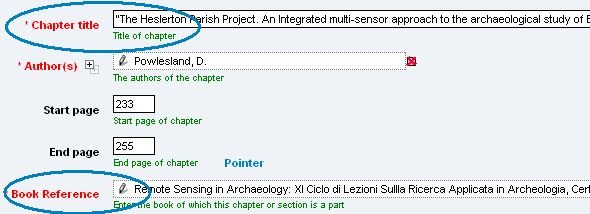
The content of the pointer field shows the title of the record to which the pointer points. Due to the way that heurist record titles are constructed by concatenating a selection of the data fields. This title is often quite informative - for instance, it includes author(s), year, title and publisher for a book reference. |
|
|
The pencil icon at the start of the record title allows you to edit the data fields of the referenced record directly in a popup window - this is useful for making minor corrections, such as fixing typos in names or adding a publisher. |
|
|
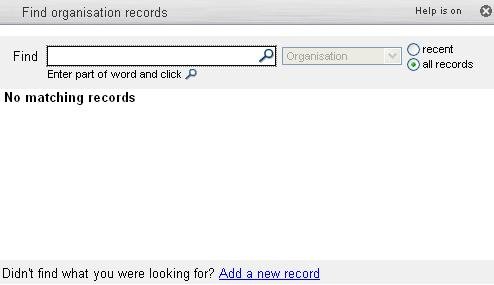
Entering Pointer Fields Clicking on a pointer field pops up a search box - the search is constrained to the appropriate record type(s). Dropping a piece of text on a pointer field triggers a search for that text in the appropriate record type(s). |
|
|
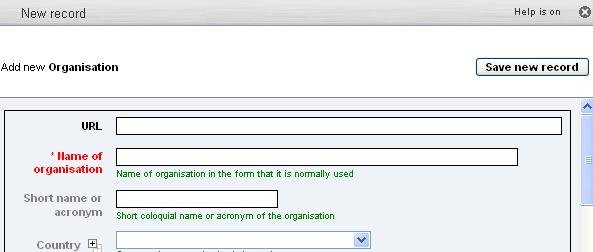
Adding a New Record If the required record does not exist in the database, click on the Add new record link at the bottom of the search box to pop up a data entry form for the appropriate record type |
|
|
Pointer fields can be constrained to point to a particular type of record (for instance, authors and editors will always point to the author/editor record type) to help maintain the quality of data entry. However they can also be unconstrained in cases where you don't know in advance what type of record might be referenced. |
|
See: Records - Add Pointers Terminology - Pointers