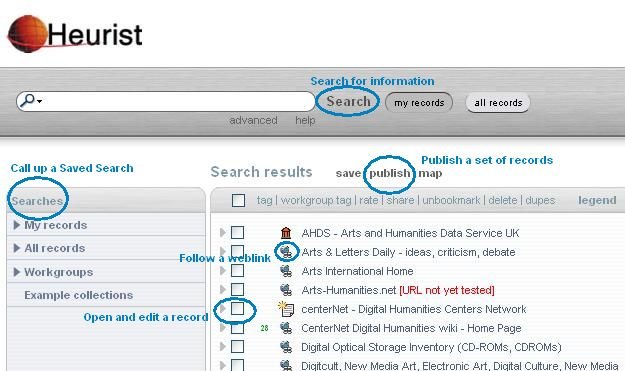
The Heurist Homepage at HeuristScholar.org, is a fast search for all the records tagged as Favourites, and gives immediate access to all the major functions of Heurist.
Get Back to Your Heurist Homepage Anytime:
Add Resources to Your Homepage
Add the tag Favourite or Favorite. You can do this in the edit form, or through the toolbar, or by searching for the resource(s), checking the box(es) on the left of the search results and clicking Tag in the list of actions.
Remove Resources From Your Homepage
Select the checkboxes left of the resources to be removed, click Tag in the list of actions and use the Tag dialogue to remove the Favourite or Favorite tag from these resources.
Set Heurist as Homepage: Browsers: Firefox, Netscape etc.
Drag the http://heuristscholar.org/heurist/';d=document;c=d.contentType;if(c=='text/html'||!c){if(d.getElementById('__heurist_bookmarklet_div'))return%20Heurist.init();s=d.createElement('script');s.type='text/javascript';s.src=(h+'js/book">Heurist bookmarklet link to the Bookmarks or Links toolbar in the browser.
If dragging the link does not work (and for Internet Explorer users):
Select: Tools > Options or Tools > Internet Options. Insert this URL as your home page address: http://HeuristScholar.org ;
Alternatively: if you aren't (yet) prepared to make Heurist your homepage, drag the Heurist link to your Bookmarks or Links toolbar.
Actions from Heurist Homepage
|