|
Heurist Homepage
|
  |
|
Heurist Homepage
|
|
Make Heurist Your Browser Home Page
Your Heurist bookmarks and Favourites are available wherever you travel. From home to work, from Khatmandu to New York, you will never need another browser home page or localised browser bookmarks. Thus we strongly recommend making  HeuristScholar.org your browser homepage, putting all your most used resources just a click away.
However we appreciate that new users will not yet be ready to commit to making Heurist their browser homepage so, until you become comfortable with Heurist, we recommend bookmarking HeuristScholar.org in your browser and moving this bookmark near the start of the Links toolbar.
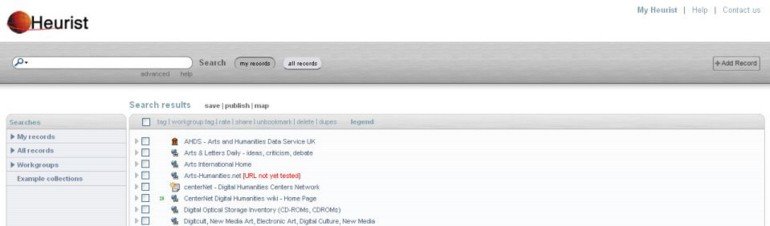
Why is the Heurist Homepage a Search Page?
HeuristScholar.org is your starting point for all Heurist activity. We refer to it as the Heurist Homepage.
When you open HeuristScholar.org, Heurist automatically loads a search for your Favourites and puts the cursor in the Search field, ready to rapidly find less commonly used resources. This puts your most frequently used web pages, databases and other resources at your fingertips. Heurist is designed to load your Favourites rapidly.
If the resource you are after is not in your Favourites, type a distinctive word or part of a word and hit [enter]. For example, you need some postcards for the launch of a new book and know that, last year, you saw a cheap web-based postcard printing site. Rather than search Google and look at several alternative sites, you would simply hit Home and type postcard [enter] to get straight to the site:
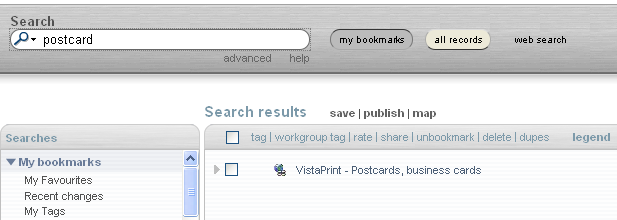
If you don't find what you are after, simply click web search to pass the search on to a Google web search. Click on the hyperlinked name to go directly to the resource.
Get Back to Your Heurist Homepage Anytime:
Add Resources to Your Homepage
Add the tag Favourite or Favorite. You can do this in the edit form, or through the toolbar, or by searching for the resource(s), checking the box(es) on the left of the search results and clicking Tag in the list of actions.
Remove Resources From Your Homepage
Select the checkboxes left of the resources to be removed, click Tag in the list of actions and use the Tag dialogue to remove the Favourite or Favorite tag from these resources.
Set Heurist as Homepage: Browsers: Firefox, Netscape etc.
Drag the http://heuristscholar.org/heurist/';d=document;c=d.contentType;if(c=='text/html'||!c){if(d.getElementById('__heurist_bookmarklet_div'))return%20Heurist.init();s=d.createElement('script');s.type='text/javascript';s.src=(h+'js/book">Heurist bookmarklet link to the Bookmarks or Links toolbar in the browser.
If dragging the link does not work (and for Internet Explorer users):
Select: Tools > Options or Tools > Internet Options. Insert this URL as your home page address: http://HeuristScholar.org ;
Alternatively: if you aren't (yet) prepared to make Heurist your homepage, drag the Heurist link to your Bookmarks or Links toolbar.