|
Share Records
|
  |
|
Share Records
|
|
Users can send notifications to other users pointing them to one or more records which may be of interest. Use notifications to share relevant web sites or bibliographic resources or to send reminders about meetings or reports due.
Heurist notifications are far more useful than cutting and pasting hyperlinks into emails, as they allow the recipient to bookmark the records immediately (if they wish) without any cutting and pasting.
Individual Record Notifications
The record editing form allows the setting of one-off (on a specific date) or periodical (daily, weekly, monthly, yearly) email notifications about that record. The notification can include a message, and can be sent to specific users (including to oneself), to a workgroup (defined by an admionstrator) or to a colleague group (defined by the individual user)

Individual record notifications are particualrly useful for setting up reminders eg. of weekly or monthly meetings or an annual grant round or report.
Multiple Record Notifications
One or more records can be selected by checking the boxes at the left of the search results listing. This set of records can then be emailed to a specific user, to a workgroup (defined by an administrator) or to a colleague group (defined by the individual user).
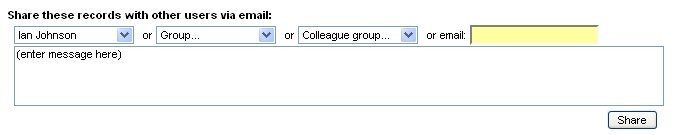
The notification is immediate and includes a message and a hyperlink to a search which will display the selected records as a search result for the recipient. The recipient can then check the boxes of the records they wish to add to their own Heurist colelction and click Bookmark to add them instantly.
To share a Heurist record or set of records, a user: